Your own mods: installing, unpacking, combining
The catalog is not the only source. The app takes any VPK, recognises what is already sitting in your game folder, and takes mods apart again into the files they are made of.
Checked
Installing your own .vpk
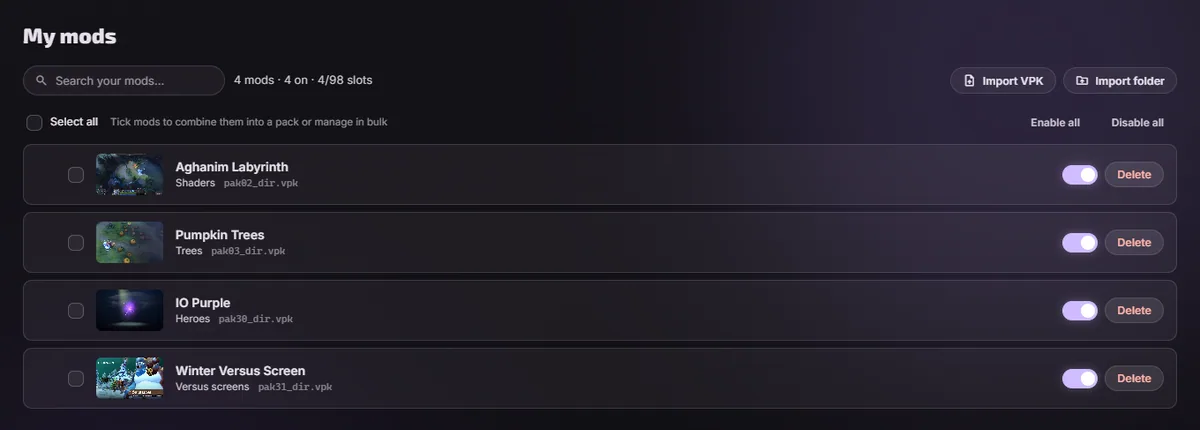
Drag the file onto the window, or use the import button. The app reads what is inside it, works out what it changes and which heroes it touches, gives it a name if it has none, and puts it in a free pak slot. From then on it behaves like anything else in your library: it switches off, it reorders, it survives patches.
A whole folder at once
If you have been installing mods by hand for a while, point the app at the folder they are in and it takes every archive out of it in one go, rather than asking you to add them one at a time. It looks a few levels down, because packs from other tools unzip into a whole game tree with the file you want buried in it.
A folder with no archive in it: your own mod
Point it at a folder holding loose game files rather than a VPK, and it packs them into one for you and imports the result. This is the case an author has and no installer covers: you have been editing files in a working folder and had nothing to point anything at. The folder's own name becomes the mod's name.
It works out where your content actually starts, so a wrapper folder left by unzipping, or a game-shaped MyMod/game/dota_russian/models/, both resolve to the same archive. Folders of your own sitting next to the game's come along too.
It recognises mods you installed by hand
The app fingerprints what is already in your game folder and compares it against the catalog. Where it finds a match it tells you which mod that file is and offers to take it under management, so a folder somebody else set up becomes a library you can actually read. Files it does not recognise are listed too, rather than being quietly overwritten.
Unpacking a mod back into files
An installed mod can be unpacked back into a folder of the files it contains. That is where editing somebody else's mod starts, and it is also the quickest way to see what a mod really touches when the description is vague.
Combining and splitting
Several mods can be combined into one pak, and a pack can be taken apart again into the mods it was built from. Useful when the slots are running short, and useful when a set of mods should move together as one thing.
The tools that make mods
Making a mod rather than installing one means decompiling a game asset, editing it, compiling it back and packing it into a VPK. The tools for that live in the catalog's Tools section and install from inside the app, and the catalog's wiki is the documentation for the pipeline. Where those come from.
Or describe the mod to an AI assistant and let it run those tools for you: making mods with AI.
Questions
- Can I install a mod from a zip?
- Yes. Archives from the catalog often come that way and the app unpacks them itself.
- Will my own mod survive a Dota patch?
- The same as any other. A patch overwrites the files underneath, and the repair puts your archives back where they were.
- Can I share a mod I made?
- The catalog takes submissions, and its Discord is where that conversation happens.