
Terrains: installing a custom map in Dota 2
A terrain is the most visible mod in Dota and the usual reason somebody starts modding at all. Every guide on the first page of search results teaches a trick that stopped working on 24 July 2026.
Checked
What a terrain actually is
A terrain replaces the map: the ground, the cliffs, the trees, the river, the ambient effects. Technically it is an ordinary mod, a VPK archive of models and textures laid over the game's own. Terrains, trees and the river are separate categories in the catalog because people mix them, taking the ground from one and the trees from another.
Why the old guides stopped working
Almost every terrain guide teaches the same move: add -language tempcontent to the launch options and drop the mod in a folder called dota_tempcontent. On 24 July 2026 Dota stopped taking the language from that argument. Both languages now live in game/dota/cfg/boot.vcfg, and the engine substitutes the audio language into its search path. A made-up value like tempcontent no longer creates a folder or mounts one, so the mod simply never loads.
The argument itself still exists and still sets the language. What it can no longer do is invent a folder out of a value nothing recognises. The whole story of the language folder.
With the app
- Open Terrains in the catalogEvery terrain has a preview, so you see what you are getting before it is on your disk.
- Press InstallThe app downloads it, puts it in a free pak slot in the folder your game actually mounts, and remembers what it wrote.
- Restart DotaA running client will not pick it up. Close it fully first.
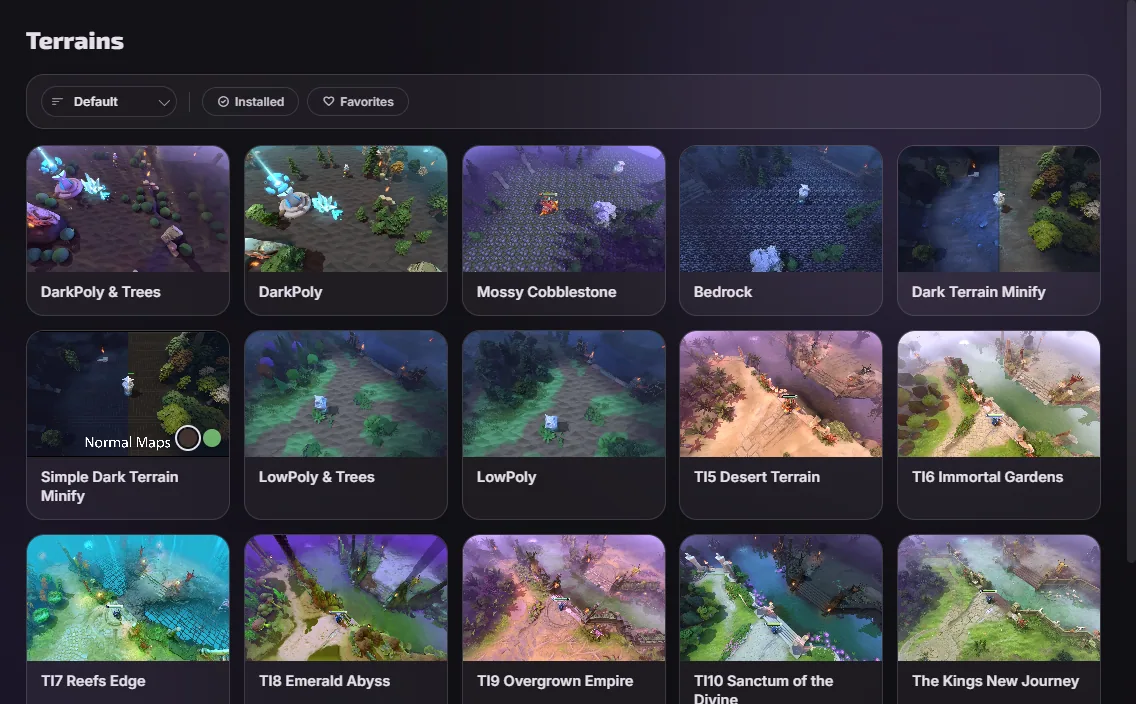
Trees, the river and shaders go into lower-numbered slots than the terrain itself, because a lower number wins when two mods carry the same file. That is what lets you run one author's ground under another author's trees.
By hand
- Find your language folderNamed after your voice language, not your text one. How to tell which.
- Rename the fileTo a free pakNN_dir.vpk, where NN is anything from 02 to 99 that is not taken. Never 01.
- Drop it in and restartThat is the whole mechanism. No launch options, no edits to game files.
A terrain, trees and a river together
These three overlap. A terrain that ships its own trees and a separate tree mod both carry the same files, and only one of them can win: the one in the lower pak slot. The app tells you which and lets you drag them into another order. Installed by hand, you discover it by looking at the map.
What breaks a terrain
- A game patch overwrote the files the mod depends on. Common, and it is what the repair step exists for.
- Two terrains installed at once. One of them is doing nothing.
- The mod is in a folder the game does not mount, which is what the old guides caused.
- An old
dota_tempcontentfolder left over from those guides, still holding the mods you think are installed.
Questions
- Are terrains free?
- The ones in the catalog are. Valve sells terrains too, and a mod does not replace one: it changes what you see, not what your account owns.
- Can other players see my terrain?
- No. It is drawn by your client, on your screen. Everyone else sees the map they installed.
- How many terrains can I have installed?
- As many as you like, but one of them is doing the work. Switch the rest off rather than leaving them to argue.
- Does a terrain affect performance?
- It can, in both directions. Some are heavier than Valve's, and the catalog's optimization category exists to go the other way.